🚀 Free Offline Image Optimizer & Branding Tool
Fast. Private. SEO-Friendly.
Why You Should Use This Tool:
100% Privacy Guaranteed: Unlike other online converters, your photos are never uploaded to a server in Free Offline Image Optimizer & Branding Tool. All processing happens locally in your browser. This makes it perfect for sensitive or professional photos.
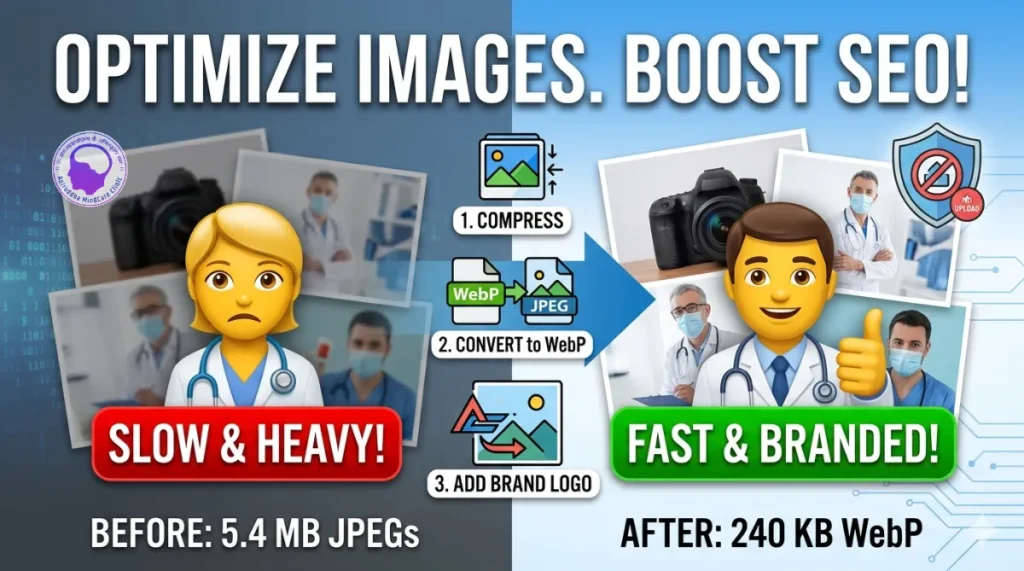
Boost Your Website Speed: Convert heavy JPEG or PNG files into WebP—the next-generation format recommended by Google and RankMath for faster loading times.
Instant Branding: Automatically add your Brand Logo and Website Name to your images in seconds with Free Offline Image Optimizer & Branding Tool. No need for complex software like Photoshop.
Perfect Dimensions: Easily set a Maximum Width or Height to ensure your images fit your blog layout perfectly every time.
Multiplatform Tool: Free Offline Image Optimizer & Branding Tool is browser-based tool which runs on all platforms including Windows, Mac, IOS, Android, Linux. Runs on all browsers like Safari, Google Chrome, etc.
How to Use Free Offline Image Optimizer & Branding Tool (3 Simple Steps):
Upload & Configure:
Click “Main Image” to select your photo.
Upload your
1.Brand Logo and type your Brand Name in the settings panel.
2.Adjust the Layout:
3.Use the Position Sliders (X & Y) to move your logo and text to the perfect spot.
Fine-tune the Font Size, Opacity, and Image Quality using the real-time preview.
Optimize & Download:
Set your desired Max Width (e.g., 1200px) to keep your site fast.
Click the “Download WebP” button to save your ready-to-publish image.
💡 Pro-Tips for Better Results with Free Offline Image Optimizer & Branding Tool:
For Logos: Use a PNG file with a transparent background for a professional, “floating” look.
For SEO: Aim for a quality setting of 80%. This provides a massive reduction in file size while keeping the image looking sharp on high-resolution screens.
For Mobile: If your blog visitors are mostly on mobile, set your Max Width to 800px to make your pages load even faster.
📸
Image Optimizer Pro
Secure, browser-based processing.
Privacy Commitment: Free Offline Image Optimizer & Branding Tool is powered by client-side JavaScript. Unlike other online converters, your images never leave your computer. Free Offline Image Optimizer & Branding Tooldo not have a server-side component for this tool, meaning we cannot see, store, or access any photo you process here. Your data is 100% your own.
Why Image Optimization and Branding are Crucial for Your Website
In the modern digital landscape, images are the heart of your content. However, simply uploading a high-quality photo isn’t enough. To rank well on Google and provide a professional experience for your patients and visitors, you must focus on four key pillars: Optimization, Compression, Branding, and Format Conversion. Free Offline Image Optimizer & Branding Tool helps you achieve all these at one stop location.
Below is a detailed breakdown of why these elements are essential for your website’s SEO and overall success:
1. Superior Page Load Speed (The SEO Core)
Google uses PageSpeed as a primary ranking factor. High-resolution images from modern cameras are often 5MB to 10MB in size—far too heavy for a web browser to load quickly.
- The Impact: By compressing these images, you reduce the data a user has to download.
- The Result: Faster load times lead to lower “Bounce Rates” (users leaving your site because it’s too slow). Google rewards fast sites with higher positions in search results.
2. The Power of Next-Gen Formats (WebP)
Moving away from traditional JPEG or PNG formats to WebP is one of the most effective ways to optimize a site.
- Why WebP? It provides superior lossless and lossy compression. A WebP file can be up to 30% smaller than a JPEG of the same quality.
- SEO Benefit: Tools like RankMath and Google PageSpeed Insights specifically flag “Next-Gen Formats” as a requirement for modern SEO compliance.
3. Visual Branding and E-E-A-T
In professional fields like psychiatry and healthcare, Trust is everything. Google evaluates sites based on Experience, Expertise, Authoritativeness, and Trustworthiness (E-E-A-T). Create Authority and Trust using Free Offline Image Optimizer & Branding Tool.
- Consistency: Adding your brand name and logo to every clinical image or infographic establishes you as the original creator.
- Authority: Branded images look more professional than “raw” stock photos, signaling to both Google and your patients that you are a legitimate, high-authority medical resource.
4. Image Search Visibility and Traffic
Images don’t just sit on your page; they live in Google Image Search.
- Visual Anchors: When your branded image appears in a search result, your logo acts as a visual anchor. Even if the user doesn’t click immediately, they see your brand name.
- Backlink Protection: If other websites “scrape” or share your images, your logo and website name go with them. This ensures you receive credit and brand exposure, even when your content is shared outside your website.
- Free Offline Image Optimizer & Branding Tool will skyrocket your blog post and business visibility.
5. Mobile-First Optimization
Most users in 2026 browse the web on mobile devices with varying signal strengths.
Free Offline Image Optimizer & Branding Tool is best and quick solution for mobile optimization.
Top Mobile Image optimization strategies!
- Data Saving: Optimized and resized images save your visitors’ mobile data and battery life.
- Responsiveness: By setting a “Max Width” (like 1200px), you ensure that your images never break the layout of a mobile screen, providing a seamless user experience that Google highly favors.
Summary for Creators
By using a dedicated tool to handle these tasks, you aren’t just “editing a photo”—you are performing a vital technical SEO task. Compression keeps your site fast, branding keeps your content secure, and WebP keeps your technology modern. Together, these steps ensure that your blog remains a top-tier resource for both humans and search engine crawlers alike.
Read More for Better Mental Health for Content Creators: